WPX Frontend
Set Time Parameters
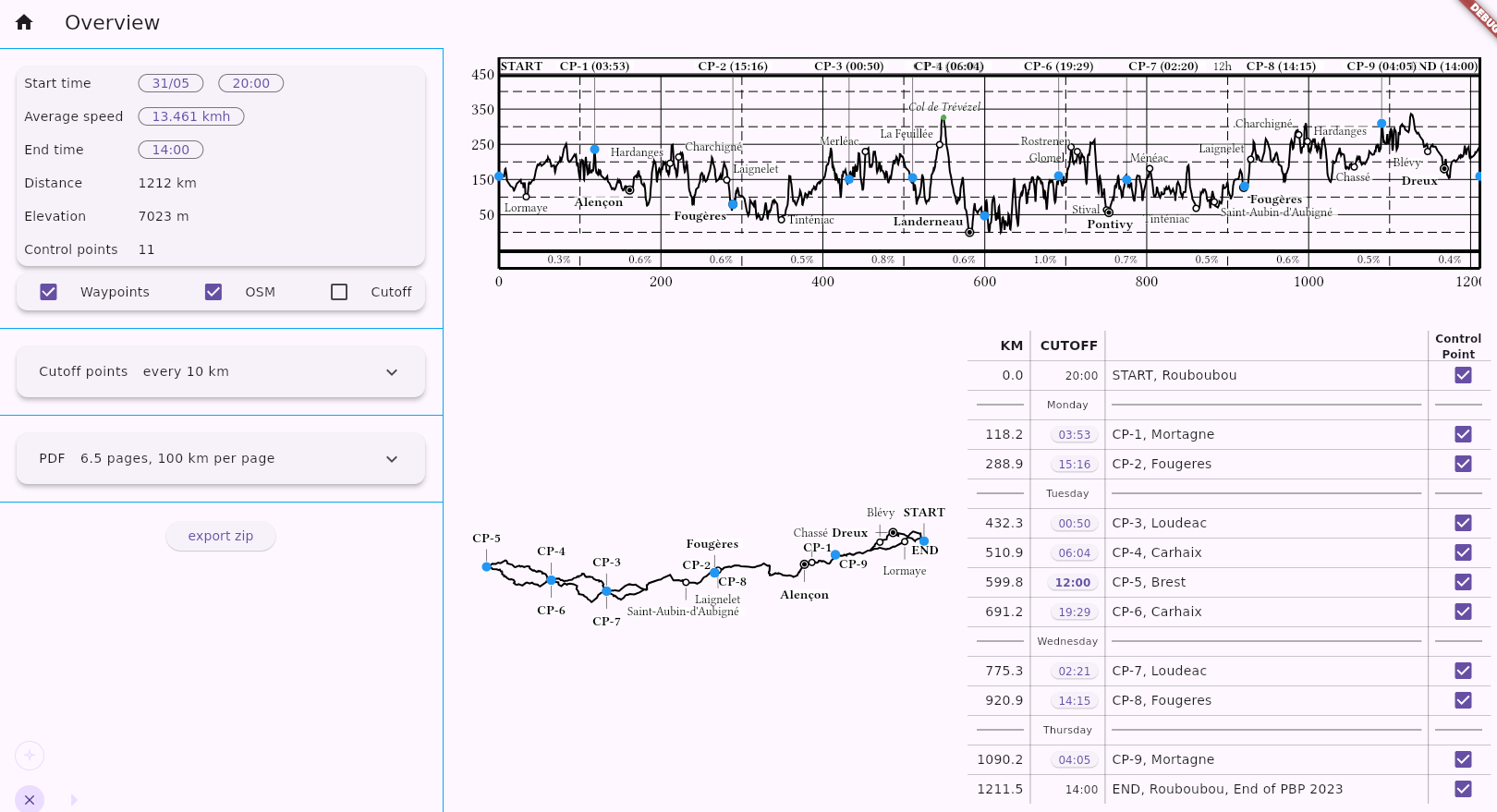
- Start Time: Set the start date and time. An accurate start date ensures that days are labelled correctly on the elevation profile for rides that continue past midnight.
- Speed: The speed parameter controls the cutoff-time calculation. The default value is 15.0 km/h.
- End Time: This can be adjusted to match the official brevet cutoff. The average speed is then recalculated automatically.
Note: Computed control closing times may not exactly match the official organizer-provided times, but they should be quite close.
Speed / Cutoff Times
Cutoff times are calculated using the selected speed model.
Two options are available:
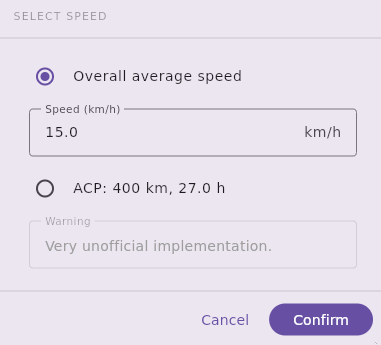
- User-defined average speed: Any value between 1 and 100 km/h can be specified.
- ACP rules: Available when the total distance is within 50 km of a nominal brevet distance (200, 300, 400, 600, 1000, or 1200 km). This option appliesthe ACP (Audax Club Parisien) rules.
- LRM rules: Available for rides longer than 1200 km. This option applies the LRM (Les Randonneurs Mondiaux) rules.
ACP Rules
The ACP rules are defined for rides up to 1000 km, with a specific extension for Paris–Brest–Paris (PBP).
They look simple at first sight (“15 kmh up to 600 km”) but they are full of surprises.
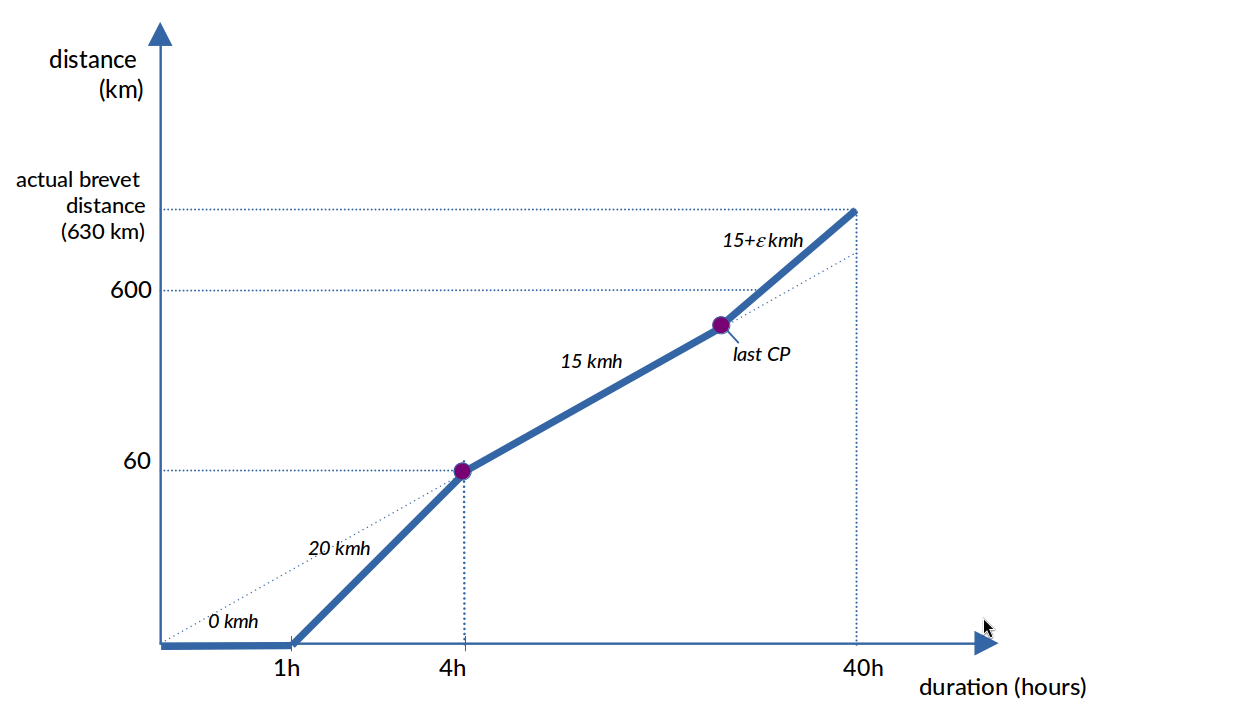
- The start control has a closing time of one hour after the official start.
- The speed used between 1000 km and 1200 km is 13.33 km/h, which is higher than the speed used between 600 km and 1000 km. A rider following the ACP schedule is therefore expected to ride faster during the final 200 km of PBP.
- Because the actual distance of a brevet usually differs from its nominal distance, the effective speed required between the last control and the finish can be significantly different from the nominal ACP speed.
Example: Consider a 630 km brevet with a nominal distance of 600 km and a last control at 570 km.
- The final control closes after 570 / 15 = 38 hours.
-
The brevet finish closes after 40 hours.
The final 60 km must therefore be completed within 2 hours, corresponding to an average speed of 30 km/h. A rider arriving at the final control with one hour in hand would have a total of 3 hours to complete the remaining 60 km.
The following diagram summarizes the ACP rules for a 600 km brevet with an actual distance of 630 km:
The following diagram summarizes the ACP rules for a 1200 km brevet with an actual distance of 1230 km:
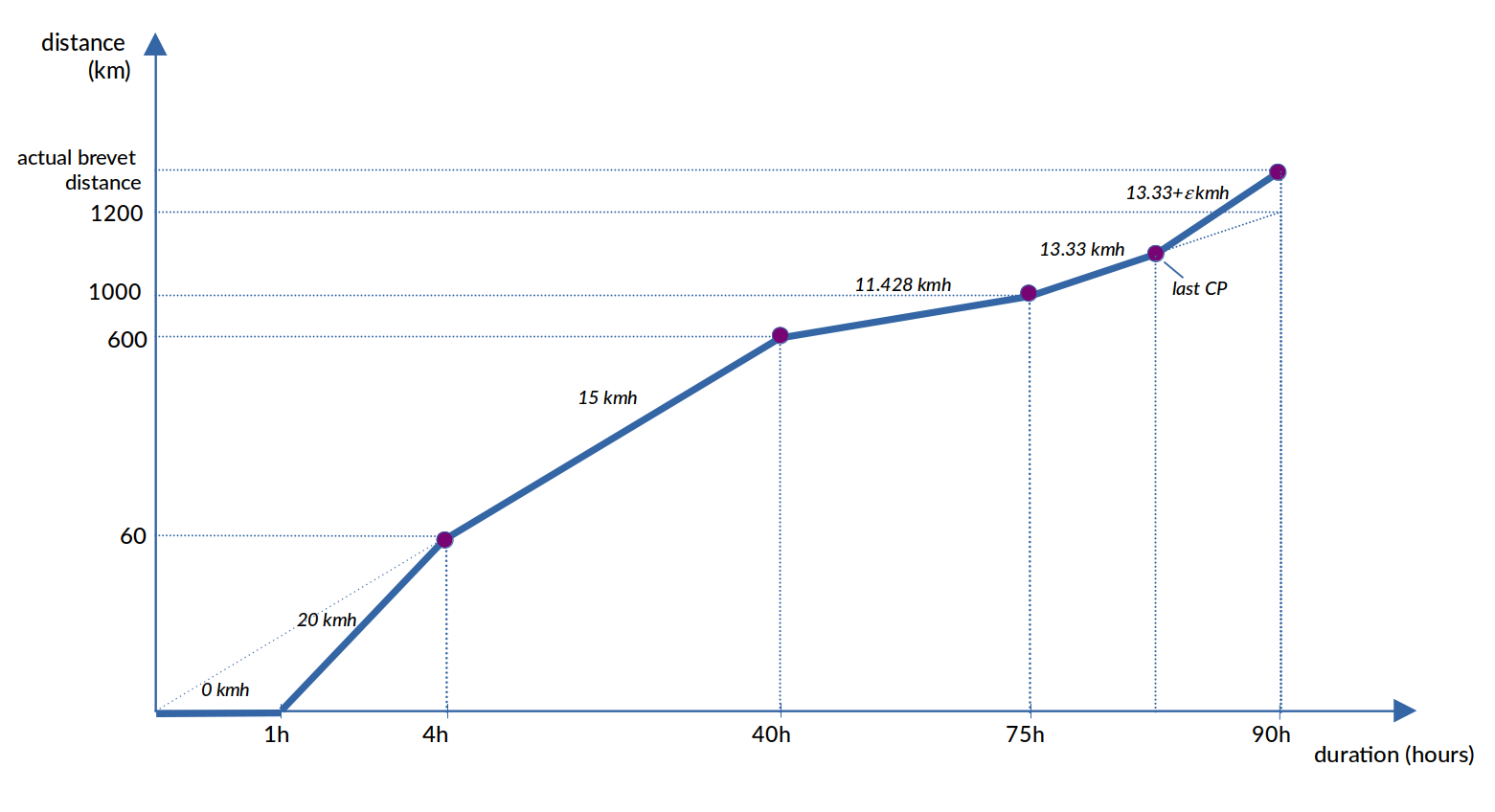
As you see, ACP closing times are not always suitable for pacing strategy. The ACP option may be rather be used for comparison purposes.
LRM Rules
The LRM rules apply to rides longer than 1200 km.
They are simpler than the ACP rules and just define a fixed overall average speed:
- 1200-1299 km: 13.33 km/h
- 1300-1899 km: 12 km/h
- 1900-2499 km: 10 km/h
- 2500 km and above: 200 km per day
For a 1200 km brevet using LRM rules, a control point at 600 km would close after 45 hours.
Custom Control Cutoffs
When a user-defined average speed is selected (first option in the speed dialog), individual control closing times can be set. This can be useful when a simpler and more predictable pacing model is preferred over the ACP rules or to model an individual pacing strategy. Example using a PBP route:
- Set the speed to 13.35 km/h.
- Adjust the end time to obtain a total duration of 90 hours.
- Click the control-time button:
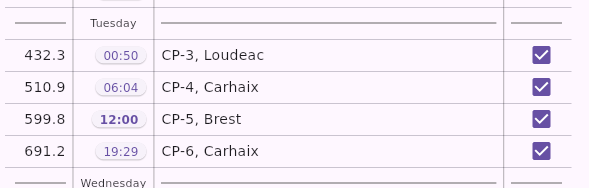
This opens the control-time dialog:
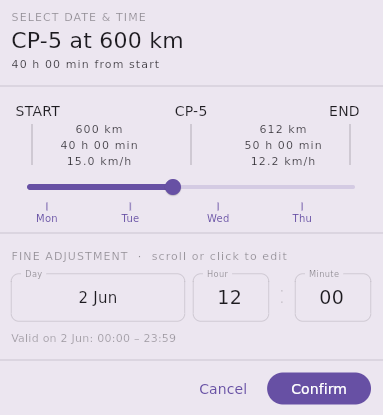
The dialog allows individual control cutoffs to be modified.
The Brest control is assigned a cutoff of 40 hours, while all other controls are distributed evenly. This results in arrival targets that are slightly earlier than the official ACP closing times:
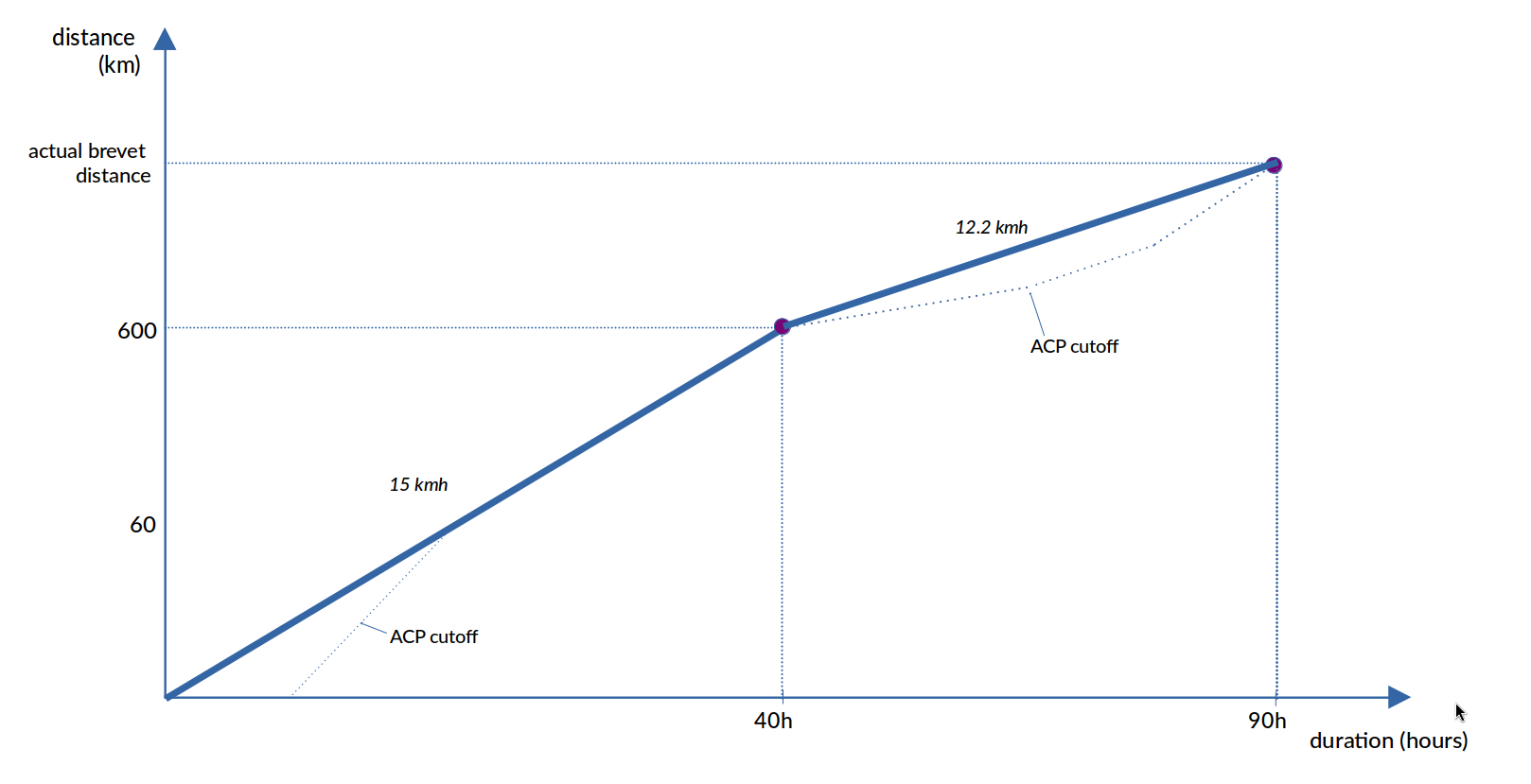
Control times can also be customized to match an individual pacing strategy.
Time Axis
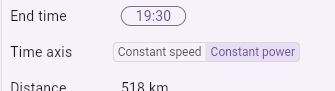
The time axis is based on a constant speed by default (more precisely: a piecewise constant speed if some controls have custom cutoffs). This has the advantage of being simple and transparent, and allows you to estimate your time in hand. But obviously, this does not take the slope into account.
With constant power, the time is computed using a simple physical model that takes the slope into account. It assumes certain fixed physical parameters (e.g., a total weight of 80 kg) and:
- first computes the power required to honor the cutoffs
- then, given that power, computes the times at any distance
The physical parameters are set to:
| parameter | value |
|---|---|
| weight | 90.0 kg |
| rolling resistance | 0.005 |
| headwind speed | 0.0 km/h |
| frontal area | 0.5 m2 |
| air density | 1.225 kg/m3 |
| drag coefficient | 0.66 |
| drivetrain loss | 3 % |
By comparing constant speed and constant power you can evaluate the impact of topography on your progression. Keep in mind that both models are simplistic and cannot predict your actual arrival times.
Choose Point Types
- Waypoints: Original waypoints from the input GPX file. If a waypoint coincides with a control point, it is merged into the control and is not displayed separately. Waypoints can be converted into controls using the control checkbox in the overview table (only on desktop).
- OSM: Names of cities, villages, and mountain passes are derived from OpenStreetMap data. To maintain readability, only the most significant OSM points are displayed. A minimum spacing of 10% of the track/page length is applied.
- Cutoff: Cutoff markers are displayed on the map and elevation profile but are excluded from the tables.
PDF Export
- Because two segments are printed on a single A4 page, the number of pages can be selected in increments of 0.5 (for example: 0.5, 1.0, 1.5, etc.).
- WPX attempts to generate segments with rounded distances (for example, 100 km) while maintaining approximately 10% overlap between adjacent segments. Due to these constraints, not every page count is available through the slider.